Auto-click by
dwelling your cursor
Stop clicking. Just hover. Dwell Clicker detects when you hold your cursor still and clicks for you — no configuration required.
Download and run
Download the .exe and double-click it. No installation, no dependencies, no admin required.
Hover on your target
Move your cursor to whatever you want to click. Keep it still. The ring fills up as time passes.
Click fires automatically
When the ring fills, the click fires. Press F8 at any time to pause or resume from anywhere.
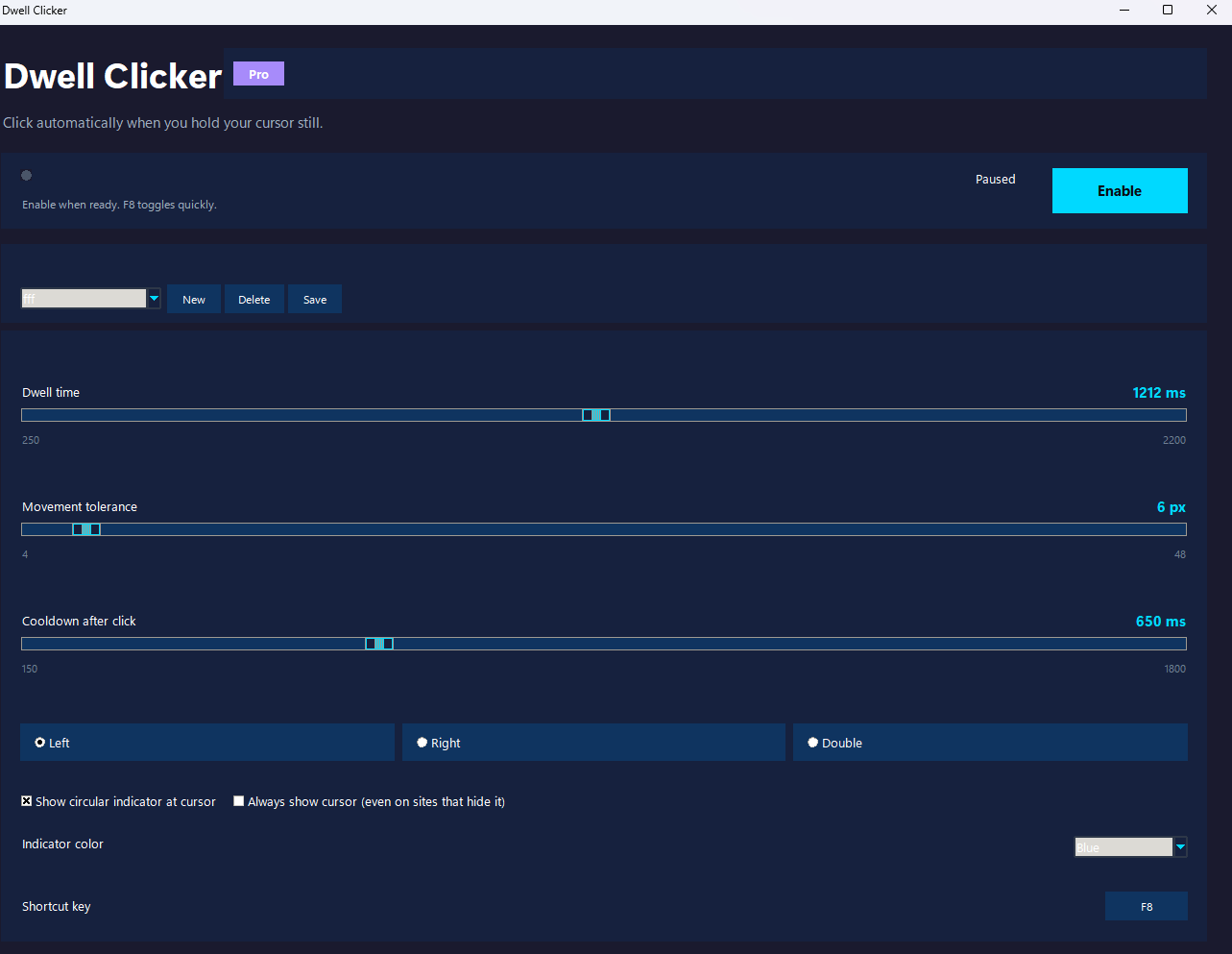
Dwell Time
Adjust how long you need to hold still before a click fires. Range from 250ms to 2200ms.
Movement Tolerance
Set how much accidental jitter is ignored. Perfect for fine-tuned targets or loose hand control.
Click Cooldown
Prevent accidental double-fires. Set a minimum delay between consecutive clicks.
Click Modes
Left click, right click, or double click. Switch modes directly from the panel — no setup needed.
Visual Ring Indicator
A progress ring follows your cursor showing exactly when the click will fire. Pro unlocks 5 extra colors and custom profiles.
Custom Profiles (Pro)
Save and switch between multiple configurations. Perfect for swapping between games, apps, or workflows with a single click.
F8 Global Hotkey
Toggle on and off instantly from any app. No need to switch back to the panel. Works everywhere.
Always-On Cursor
Force the cursor to stay visible even on sites that hide it — handy for overlays and dark UIs.
Panel Protection
The panel itself is excluded from clicking. Move your cursor back to dismiss or reconfigure without accidental fires.
Windows 11 Ready
Rounded corners, Mica backdrop, and high-DPI support. Looks and feels native on Win 10 and 11.
Dwell Clicker Free
Open source. No strings.
- ✓ Full dwell-click functionality
- ✓ Left, right, and double click modes
- ✓ Adjustable dwell time, tolerance, cooldown
- ✓ Visual ring indicator
- ✓ F8 global hotkey
- ✓ Always-on cursor option
- ✓ Blue indicator color
- 🔒 5 extra indicator colors (Green, Purple, Pink, Yellow, Red)
- 🔒 Custom profiles (save and switch configurations)
Dwell Clicker Pro
Same app. More expression.
- ✓ Everything in Free
- ✓ 5 extra indicator colors
- ✓ Green, Purple, Pink, Yellow, Red
- ✓ Custom profiles (save and switch configs)
- ✓ Pay once, use forever
- ✓ Supports independent development